Your clipboard,
everywhere.
Paster captures everything you copy on your Mac and keeps it a keystroke away. Access your full clipboard history across all your devices with iCloud.

Everything you copy.
Always within reach.
A menu bar app that lives quietly on your Mac until you need it. Then it's right there — fast, powerful, and out of the way.
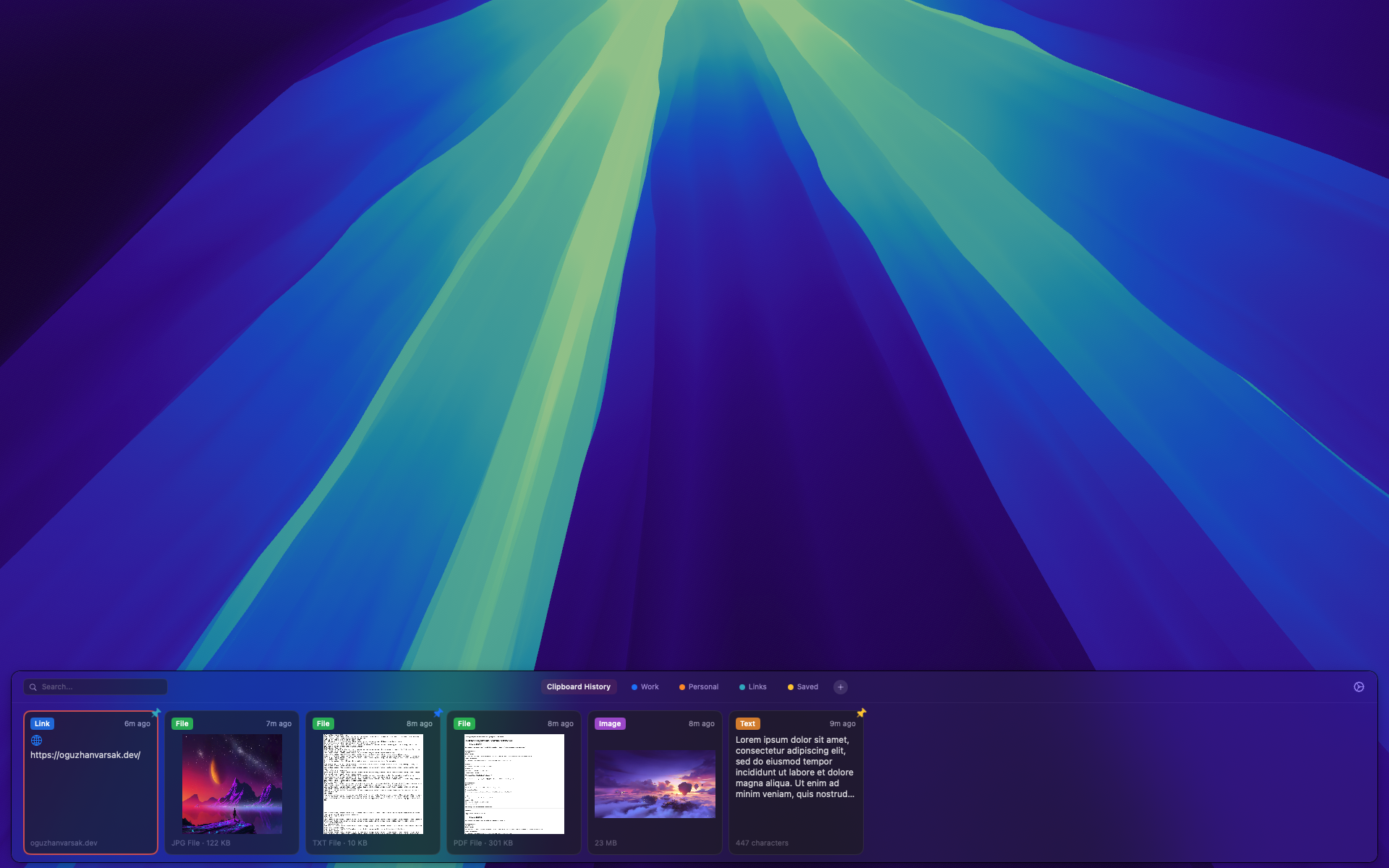
Instant access.
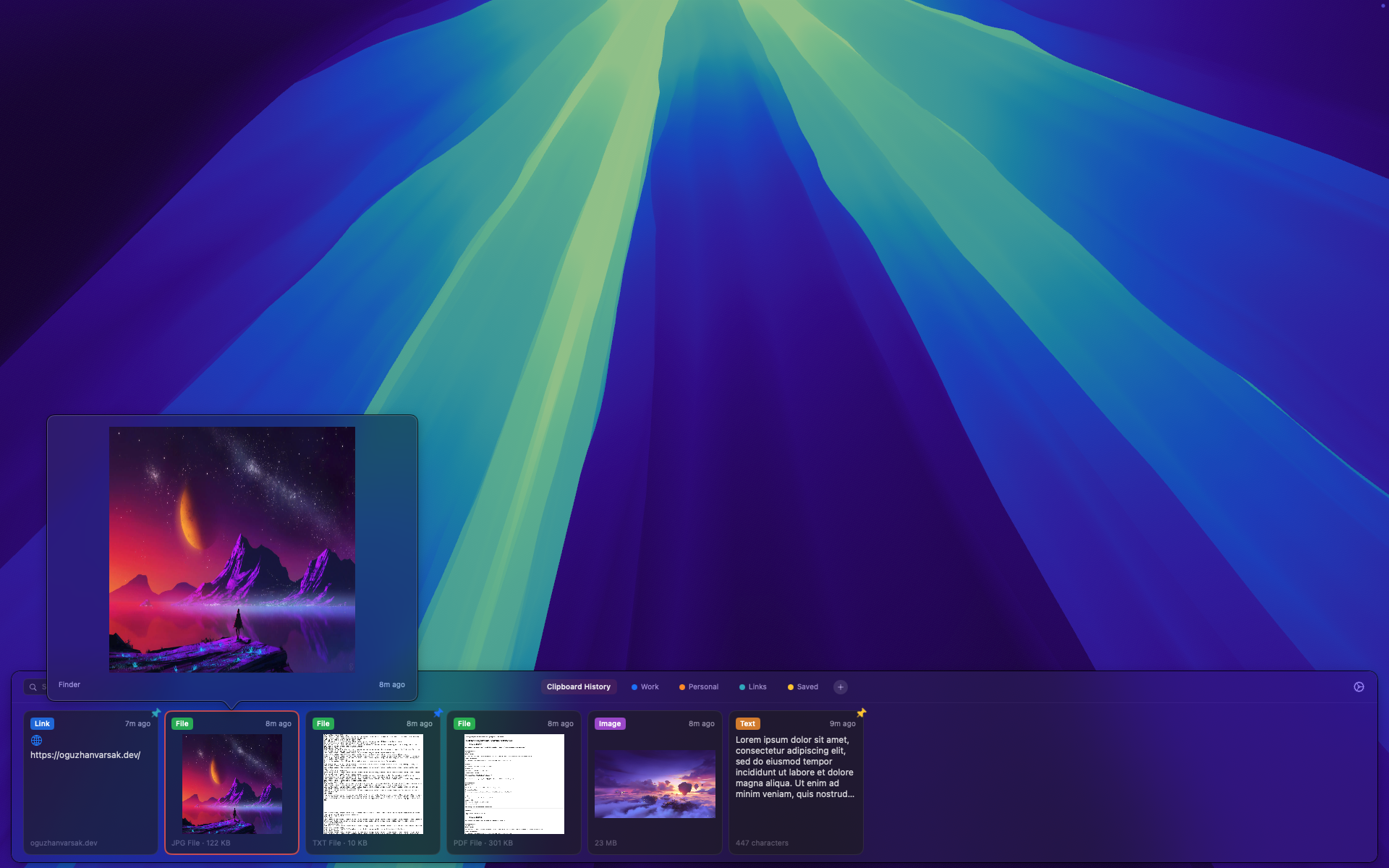
Press ⌘⇧V and a floating panel appears at the bottom of your screen. Browse, search, and paste — all without leaving your current app.
Every content type.
Text, images, links, and files — Paster captures it all. Copy a code snippet, a screenshot, or an entire folder. It’s all there when you need it.
Smart organization.
Pin important items to custom categories. Instantly search your entire clipboard history by content, filename, or source app.
Quick Look preview.
Press Space to preview any item before pasting. Text, images, videos, PDFs — just like Finder’s Quick Look, right in your clipboard.
Seamless iCloud sync.
Copy on your Mac, access on your iPhone. Your clipboard history syncs automatically through iCloud — no setup required.
iOS Companion
Your clipboard,
in your pocket.
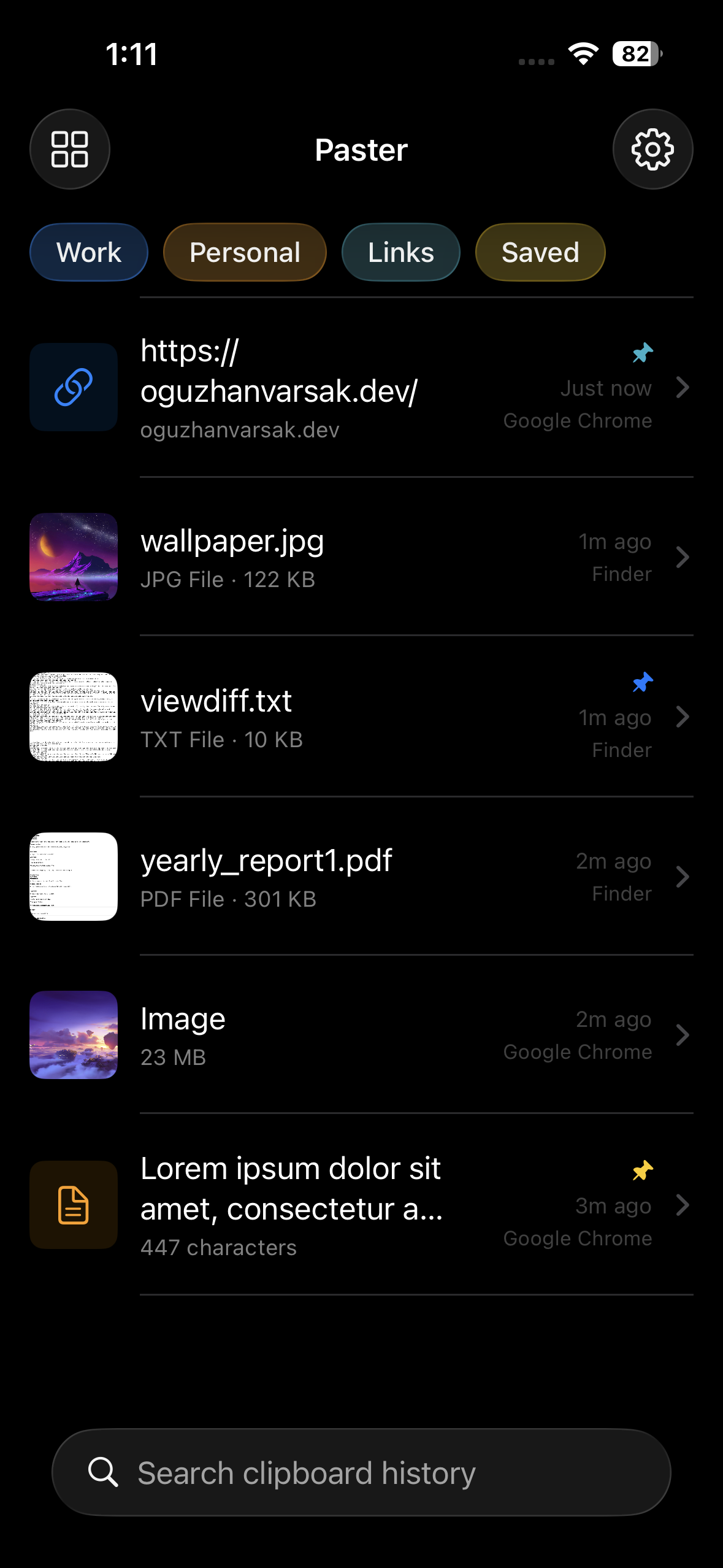
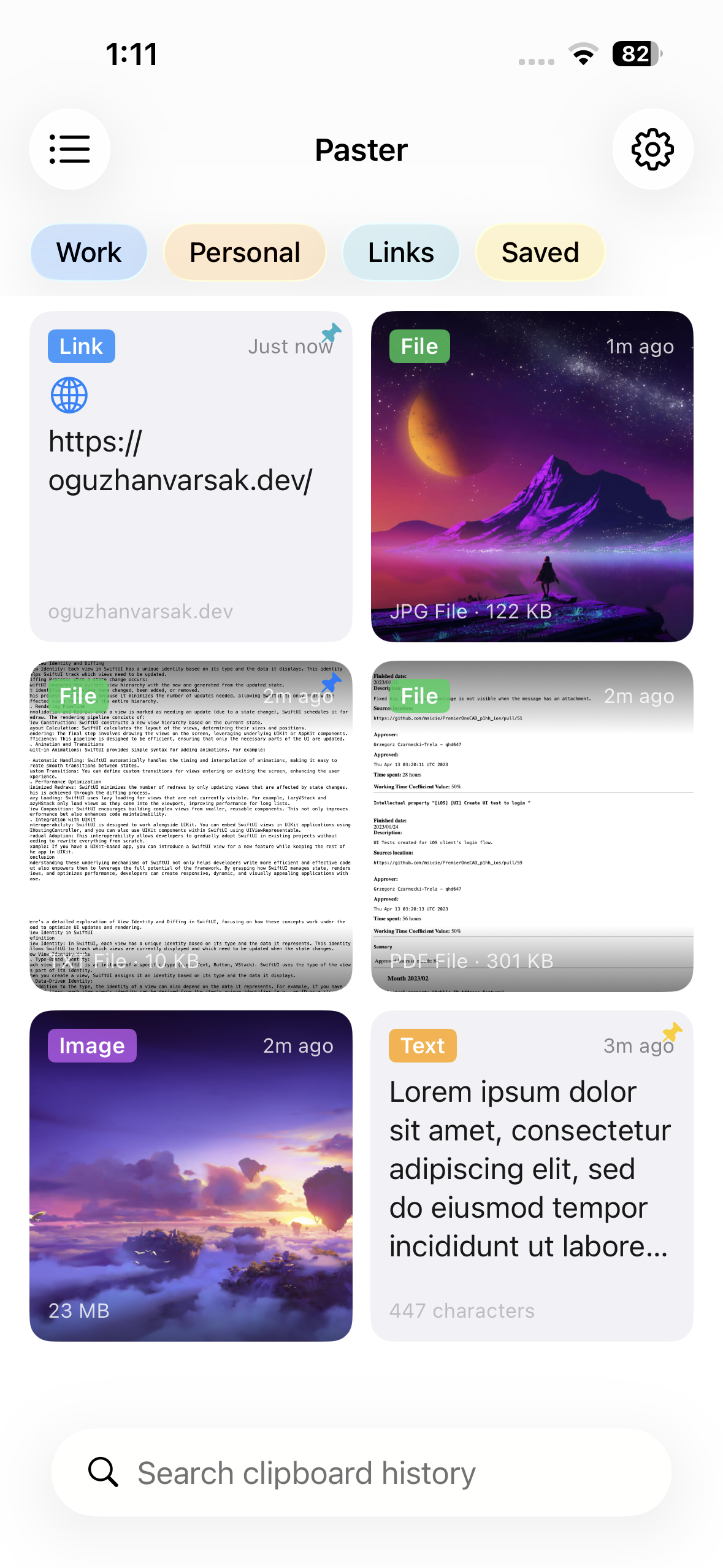
The Paster iPhone app gives you instant access to everything you've copied on your Mac — wherever you are.
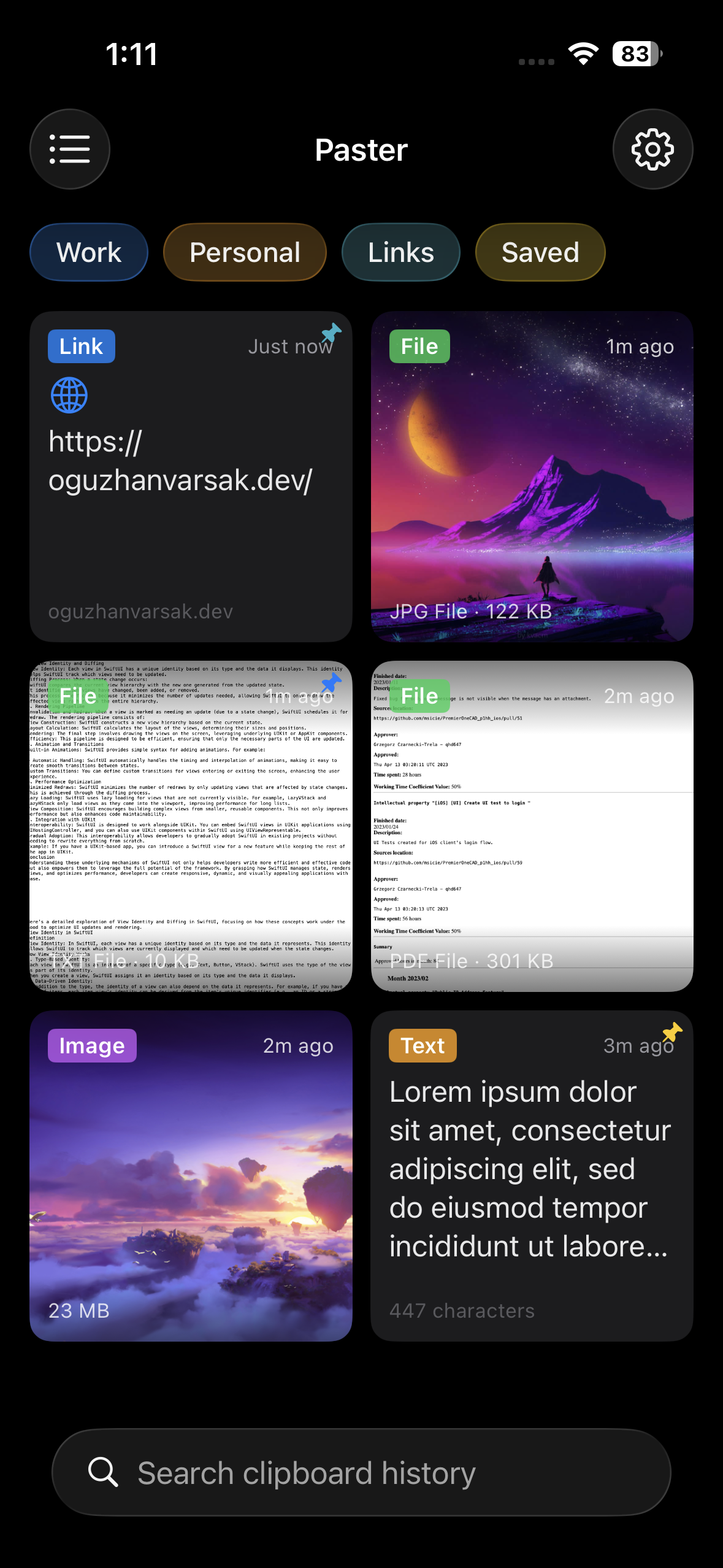
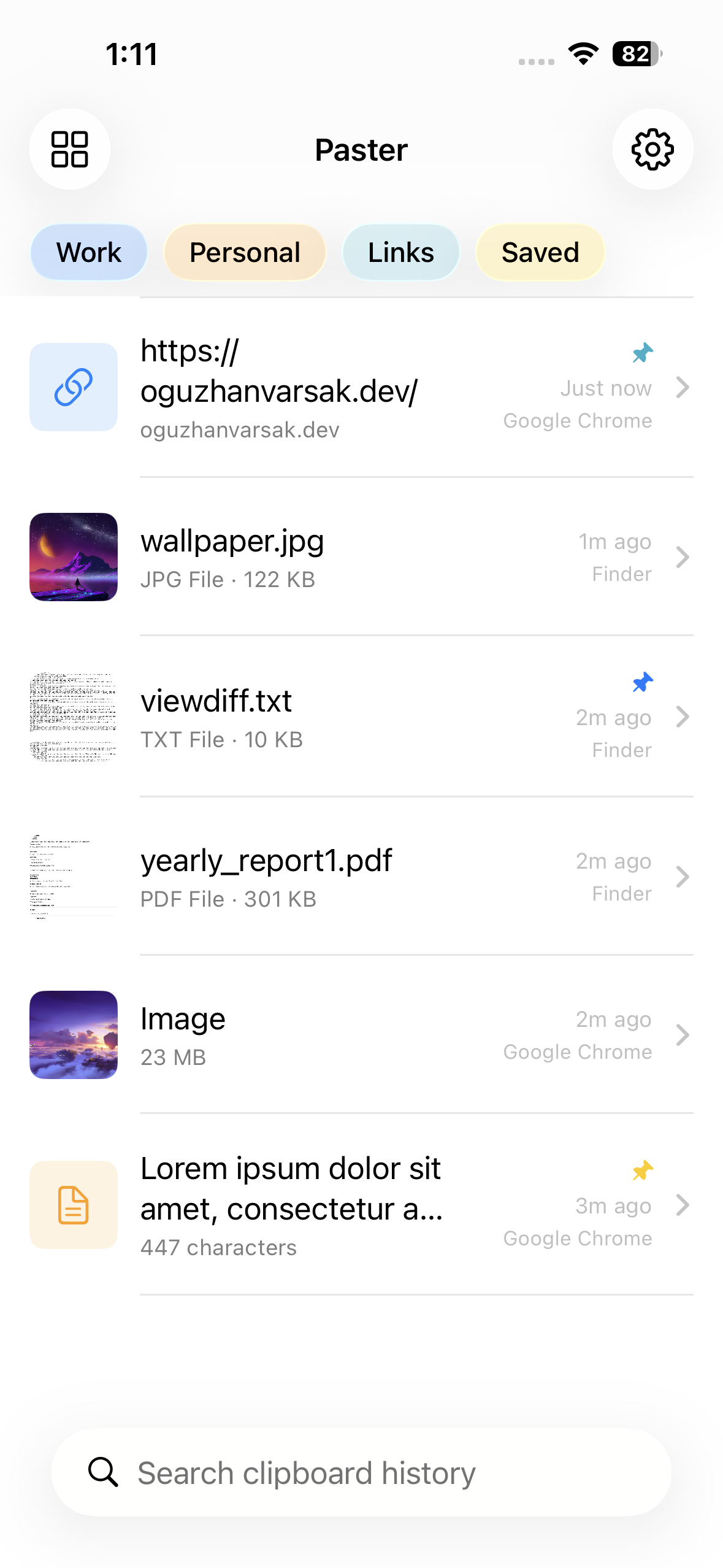
Browse history
Scroll through everything you've copied, organized by time.
Copy & share
Tap to copy, or use the Share sheet to send items to any app.
Multiple layouts
Switch between list and card grid views to find what you need.
Category filters
Filter by categories you created on your Mac — synced automatically.
Ready to try Paster?
Download the DMG and get started in seconds. Your iPhone app syncs automatically via iCloud.
Version 1.0 · DMG Installer
Requires macOS 15.0 or later
iPhone app requires iOS 26.0 or later